Ü Note&emdash; You must be in the Master Route Mgmt Mode to create the Master Stops Without Actual Orders report.
To view the Master Stops Without Actual Orders report:
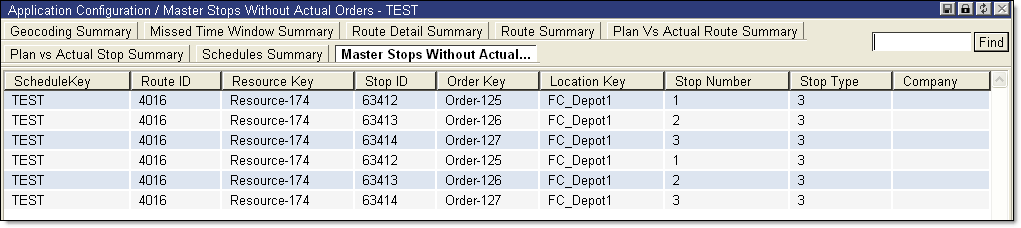
· From the main menu, select Summary Reports > Master Stops Without Actual Orders. The Master Stops Without Actual Orders page is displayed.
The Master Stops Without Actual Orders report displays the following information:
|
· Schedule Key |
· Location Key |
|
· Route ID |
· Stop Number |
|
· Resource Key |
· Stop Type |
|
· Stop ID |
· Company |
|
· Order Key |
|
