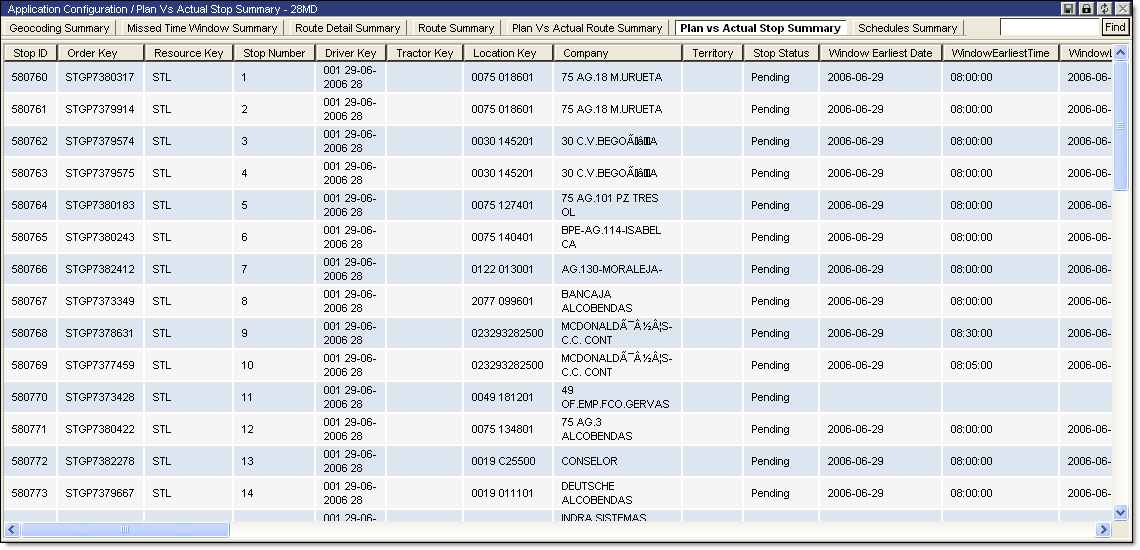
To view the Plan vs Actual Stop Summary report:
· From the main menu, select Summary Reports > Plan vs Actual Stop Summary. The Plan vs Actual Stop Summary page is displayed.
The Plan vs Actual Stop Summary report displays the following information:
|
· Stop ID |
· Completed Date |
|
· Order Key |
· Departed Date |
|
· Resource Key |
· Arrived Delta Time Minutes |
|
· Stop Number |
· Begun Delta Time Minutes |
|
· Driver Key |
· Completed Delta time Minutes |
|
· Tractor Key |
· Departed Delta Time Minutes |
|
· Location Key |
· Planned Parking Time Minutes |
|
· Company |
· Planned Service Time Minutes |
|
· Territory |
· Planned Packup Time Minutes |
|
· Stop Status |
· Actual Parking Time Minutes |
|
· Window Earliest Date |
· Actual Service Time Minutes |
|
· Window Earliest Time |
· Actual Packup Time Minutes |
|
· Window Latest Date |
· Parking Time Variance Minutes |
|
· Window Latest Time |
· Service Time Variance Minutes |
|
· Earliest Date Time |
· Measure1-3 |
|
· Latest Date Time |
· Actual Measure1-3 |
|
· Planned Arrived Date |
· Delta Measure1-3 |
|
· Planned Begun Date |
· Planned Late Violation |
|
· Planned Completed Date |
· Planned Early Violation |
|
· Planned Departed Date |
· Actual Late Violation |
|
· Arrived Date |
· Actual Early Violation |
|
· Begun Date |
|
