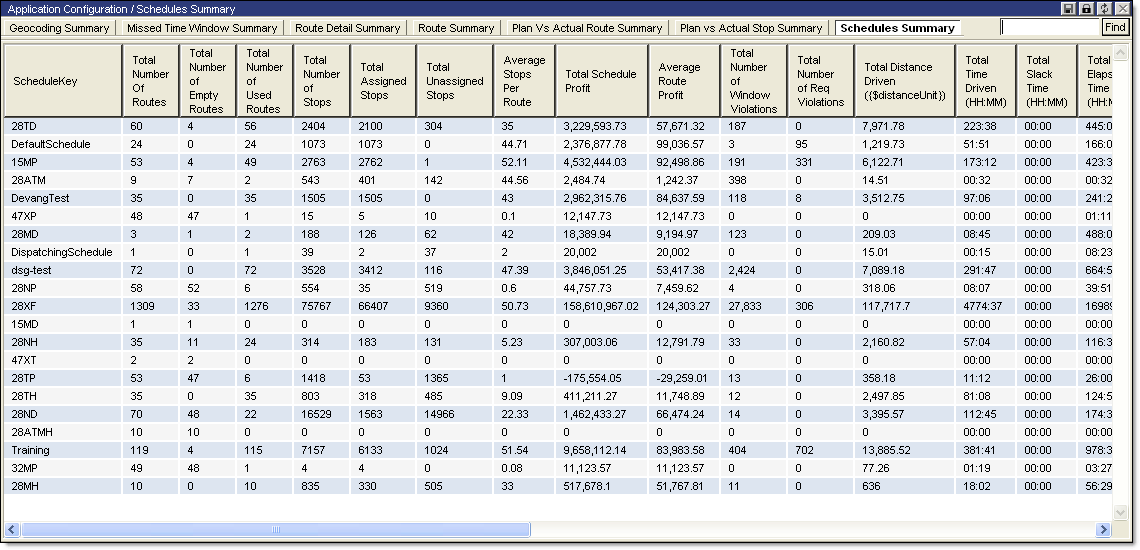
To view the Schedule Summary report:
· From the main menu, select Summary Reports > Schedule Summary. The Schedule Summary page is displayed.
The Schedule Summary report displays the following information:
|
· Schedule Key |
· Total Slack Time (HH:MM) |
|
· Total Number of Routes |
· Total Elapsed Time (HH:MM) |
|
· Total Number of Empty Routes |
· Total Waiting Time |
|
· Total Number of Used Routes |
· Total Services Time |
|
· Total Number of Stops |
· Average Distance per Route ({$distanceUnit}/Route) |
|
· Total Assigned Stops |
· Average Distance per Stop ({$distanceUnit}/Stop) |
|
· Total Unassigned Stops |
· Average Distance per Order ({$distanceUnit}/Order) |
|
· Average Stops Per Route |
· Average Elapsed Time per Stop (HH:MM/Stop) |
|
· Total Schedule Profit |
· Average Driven Time per Stop (HH:MM/Stop) |
|
· Average Route Profit |
· Average Route Speed ({$distanceUnit}/Hr) |
|
· Total Number of Window Violations |
· Total Available Capacity1 |
|
· Total Number of Req Violations |
· Total Used Capacity1 |
|
· Total Distance Driven ({$distanceUnit}) |
· Proj Measure1 per Hour |
|
· Total Time Driven (HH:MM) |
· Proj Measured1 per Distance (/{$distanceUnit}) |
